

Your website does its job. It shows the rooms, the garden and the breakfast, somebody built it on WordPress, Wix or Squarespace, and you are not about to replace it. But its Book now button opens your listing on an OTA, an email address or a contact form. The first pays commission on a guest who had already found you. The other two ask the guest to wait for a reply, and plenty of guests book somewhere else while they wait.
You do not need a new website to take bookings directly. Keep the one you have, put your booking pages beside it on an address of your own, and paste a small form into your website that sends guests to those pages with their search already made. The booking then happens on your own Solidres site, so the guest list, the payment and the availability you share with the OTAs stay in one place that you control.
How the pieces fit together
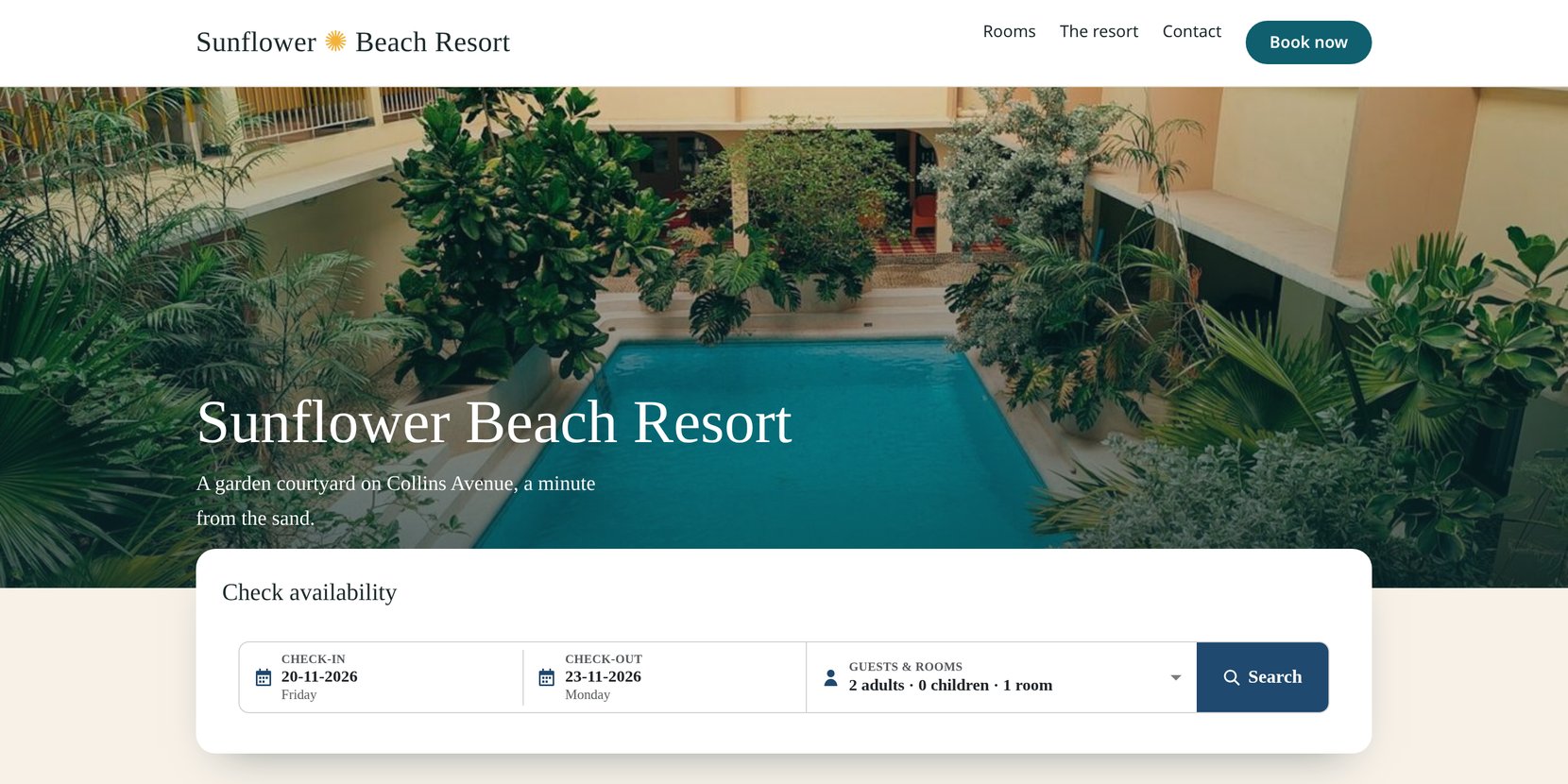
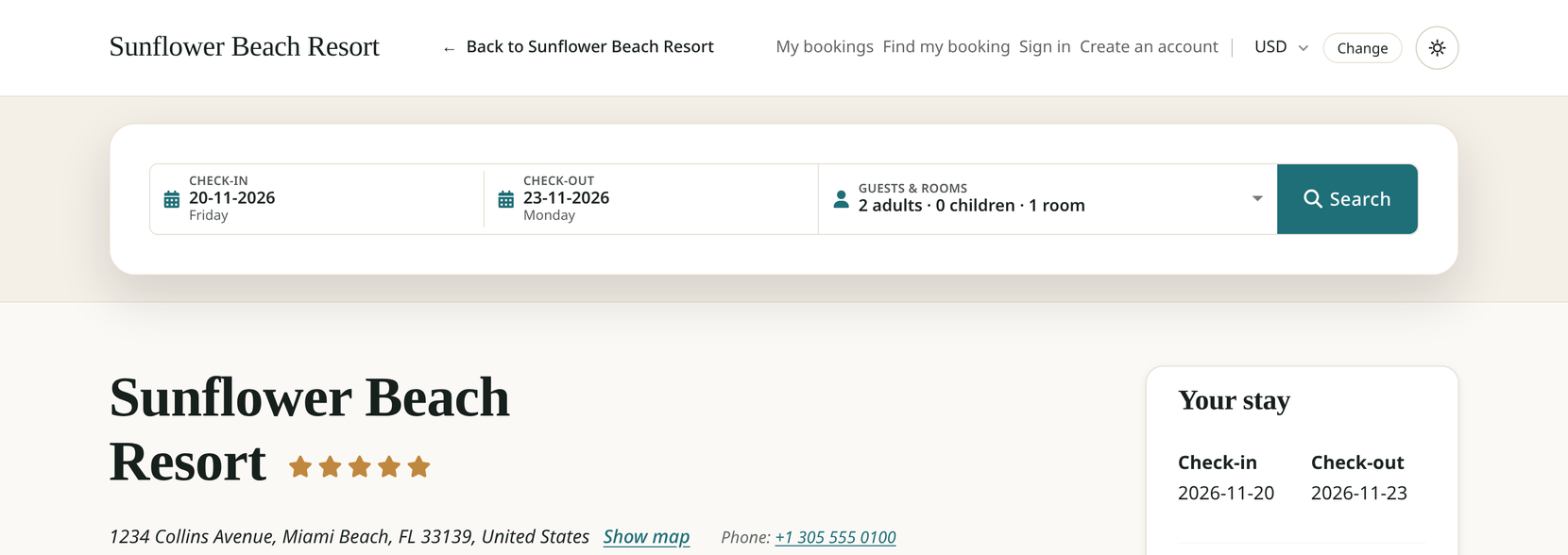
For the guest it is a short walk. They choose dates and guests on your website and press Search. They arrive on your booking pages with those dates and guests filled in and the free rooms listed, book and pay there, and can follow a link back to your website when they are done.
Two pieces make that walk work.
Your booking pages, on an address of their own
With Solidres: in Solidres Options, on the Website tab, set Site shape to Booking site and enter your Main website. Solidres then shows the booking pages only, on an address such as book.your-hotel.com, with a Back to link to your website. It asks search engines not to list those pages, so your own website stays the result when someone searches for your property's name. Switching installs and removes nothing, and you can switch back at any time. If Solidres is already your whole website, skip this part: the same form works there too. The guide to running Solidres as a booking site covers the options and the address.
The form on your website
The form sends the guest to your booking pages; it never takes the booking inside your website's page. That is the right way round. The search, the booking and the payment all happen on one site from start to finish, which works the same in every browser, and a payment provider sends the guest back to the booking pages they paid from.
You can try both halves on our demo: make a search on the website of Sunflower Beach Resort, our demo hotel, and see where it lands.
Three things you can paste
Solidres gives you three things to copy. All three send the guest to the same booking page; they differ in what your website has to allow.
| What you paste | What the guest sees | Use it when | What your website must allow |
|---|---|---|---|
| The code | A search bar with dates, guests and rooms, or a single Book now button | Your website lets you paste code into a page | Scripts in a page |
| The plain HTML form | The same search for one room, with the browser's own date fields | Your website removes scripts but keeps forms | Forms in a page |
| The booking page's address | A button or link made with your website builder's own tools | Nothing else works, or you simply prefer a button | Links, which every website allows |
The code is a few lines that show the form, styled, in your page: the same search bar as on your booking pages, with a calendar and a guests and rooms picker that asks each child's age. Set its Mode to Book now button and it shows a single button instead, and the guest picks the dates on the booking page. Use the code wherever your website runs it.
The plain HTML form is the same search without a script or styles, for page builders that strip scripts out. It searches for one room; a guest who needs more chooses them on the booking page.
The booking page's address is not code at all. Put it behind a button that your website builder makes itself, and the guest arrives on the booking page to choose the dates. It works on every website, because it is only a link.
With Solidres: all three are on one screen, the Solidres menu, System, Booking form. Choose the property and the mode, and each version has its own copy button, beside a preview of the form as your website will show it. Since Solidres 4.5.0 the booking form is part of Solidres itself, in every edition including the free one, with no add-on to buy.
WordPress, Wix and Squarespace: what works where
Website builders differ in what they let you paste, so the right choice depends on yours. How to put the Solidres booking form on your website has the steps for each; here is which of the three to reach for.
WordPress on your own hosting
Add a Custom HTML block to the page and paste the code into it. The form shows in the editor's preview and on the page.
WordPress.com
It depends on your plan. On the free plan, WordPress.com removes scripts and forms from a Custom HTML block, so the code shows nothing. A paid plan keeps them once its hosting features are switched on, as WordPress.com's page on the Custom HTML block explains. Where the code does not show, add a Buttons block, write Book now on it and link it to the booking page's address.
Wix
Wix runs pasted code inside a frame of its own that is not allowed to open another site. The form shows, but pressing Search goes nowhere, whichever window you tell it to open. Use a Wix button instead: add a Button, choose Link, then Web address, and paste the booking page's address.
Squarespace
Add a Code block to the page, keep its mode on HTML, and paste the code into it. Squarespace runs scripts in a Code block on its Core, Plus and Advanced plans, as Squarespace's guide to Code blocks explains. On a plan that does not, paste the plain HTML form instead, or link a Button block to the booking page's address.
Any other website
The same rule works anywhere: paste the code where scripts run, the plain HTML form where only forms survive, and the booking page's address behind a button everywhere else. One of the three always works, because the last one is only a link.
A button is not second best. The guest still lands on your own booking pages and books with you; only the choice of dates moves one page later.
Check that it works
Open the page where you pasted the form, as a guest would, and make one search. You should land on your booking pages with the dates and guests you chose.
With Solidres: on a new booking site, the Getting started card on the administrator's home page has a step called Put the booking form on your website, which ticks when that first search arrives. Two more things are worth a look while you are there:
- Colours. With no colours of its own, the form follows your website's light or dark mode. To match your brand, set the colours in the property's Embed form tab, then copy the code again and replace it on your website: the colours travel inside the code.
- A leaner booking page. If your website already shows the property's photos and description, switch on Show only reservation form in the property's settings. Its booking page then shows the booking form and the rooms, without repeating what your website already says.
Before you start, and when this is not the right fit
Your booking pages are a website too. They are a Joomla site with Solidres on a hosting account, and somebody has to keep it updated and backed up. That is what owning your booking pages costs, and it is the same work whoever builds them for you.
Some website builders give you a button, not a form. On Wix, and on WordPress.com without a paid plan's hosting features, the button is the way in. Know that before you pay for an upgrade in the hope of getting the form.
One form per property. The form searches one property. If you run several, paste each property's form on its own page.
Replacing an older embed form. If your website carries the embed form that used to come with the Hub add-on, copy the new code and paste it in its place: the old one stops working once the Hub is updated.
When not to bother. If you have no website, or one that nobody looks after, let Solidres be your whole website instead. It is the same booking engine, with the pages, menu and footer a property's website needs.
Your website can change; your bookings stay put
The booking pages live on your own Solidres site, not inside the website builder, for a reason. The guest list, the payments and the availability you keep in step with the OTAs, through iCal or a channel manager, stay in one place that you control, and none of them depends on the tool your website was built with. You can change website builder, or agency, and not a single booking moves. Start by setting up Solidres as a booking site, then put the booking form on your website, and the guests who already know your name can book on your own booking channel instead of through an OTA.