

A search engine lists a page by its title, with a sentence or two under it. Most of what it reads is on your pages already: your property's name, address, rooms and prices. This article shows the few things worth writing yourself, where they go, how to keep a page out of the results, and what Solidres does for you without being asked.
PREREQUISITES:
- Solidres 4.7.0 or later, for the site's name and description in Solidres' Options.
- Your property's address and description filled in, as Setting up a property explains: search engines read them.
Your site's name and description
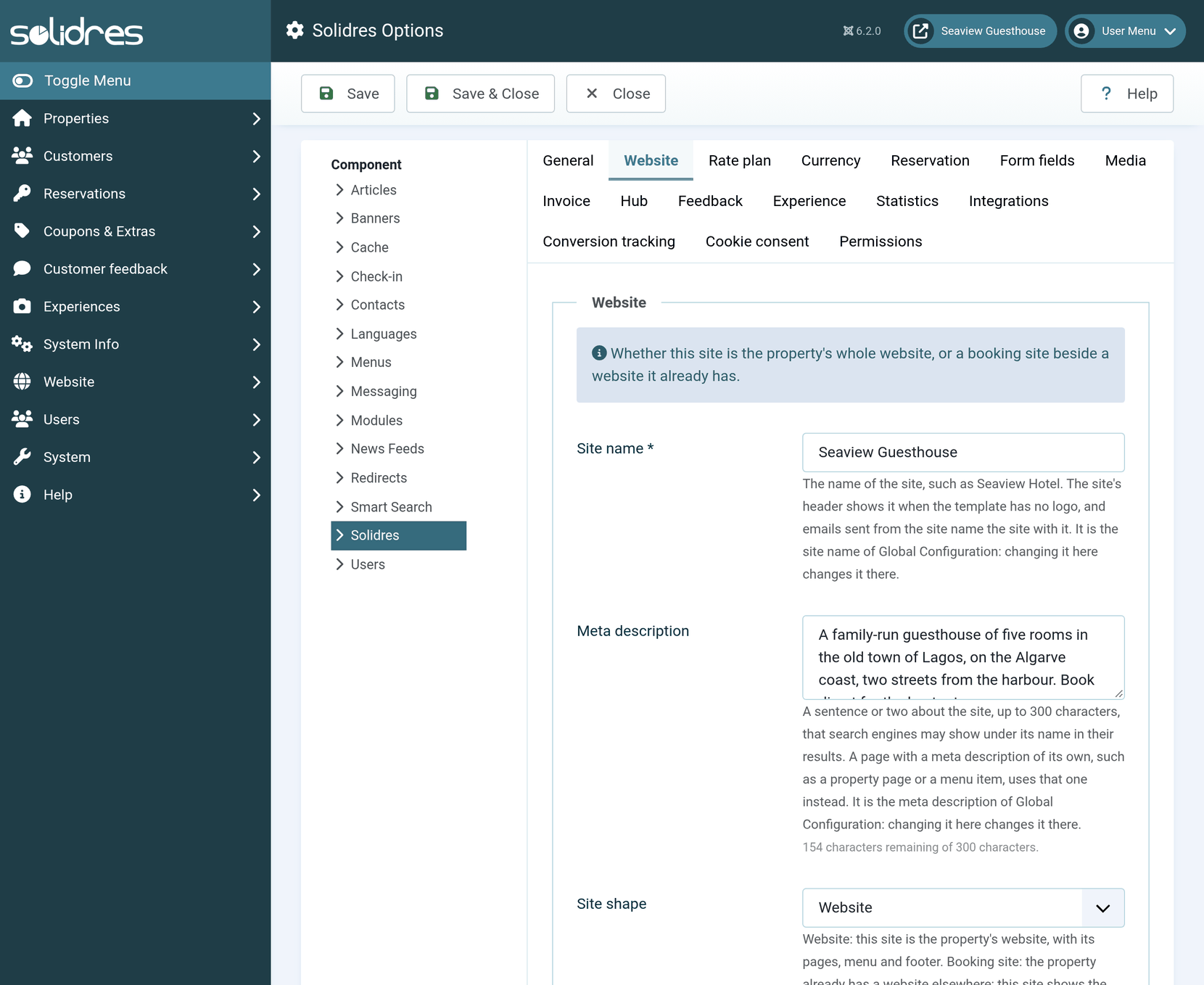
- Open Properties → Properties and click Options.
- On the Website tab, check the Site name, such as Seaview Guesthouse. It is also the name your emails are sent under, and the one your site's header shows when it has no logo.
- In Meta description, write a sentence or two about your property, up to 300 characters: what it is, where, and why to book direct. The counter under the box says how many characters are left.
- Click Save & Close.
The meta description is used by every page that has none of its own: search engines may show it under the page's title. Until you write it, such pages have none, and search engines pick a sentence from the page instead. On a site we run for you, the site name is the one you signed up with.
Your property page
The property page is the one guests search for, and on most sites it is the home page. Give it its own title and description:
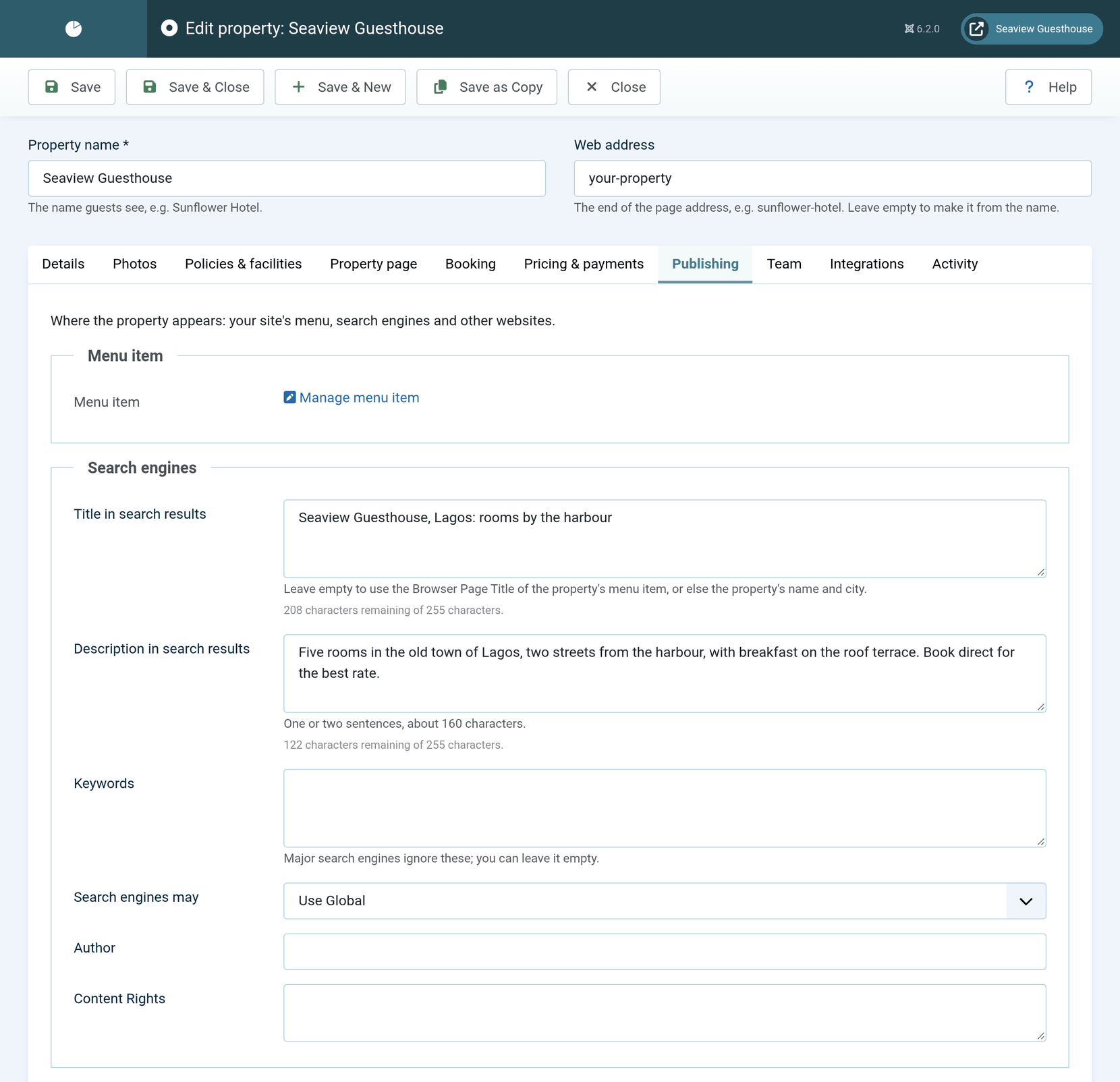
- Open Properties → Properties, click your property and its Publishing tab.
- Under Search engines, write the Title in search results, such as Seaview Guesthouse, Lagos: rooms by the harbour. Keep it short: search engines cut it at about 60 characters.
- Write the Description in search results: one or two sentences, about 160 characters.
- Click Save & Close.
Left empty, the title is the Browser Page Title of the property's menu item if you gave it one, or else the property's name and town: Seaview Guesthouse, Lagos. The description is the menu item's Meta Description, or else the first sentence of the property's description. Both boxes count the characters left, up to 255. Leave Keywords empty, as search engines ignore it, and Author and Content Rights as they are. Search engines may keeps the page out of search results: see below.
Your other pages
Pages such as About or Contact take the site's meta description unless you give them one. To write one for a page, open it in Website → Pages and, on its Publishing tab, fill in Meta Description; or open its menu item in Website → Menus and fill in Meta Description on the Metadata tab. These are the only settings of those tabs worth changing: the rest is for a site builder. A room type's own page takes the first sentence of the room type's description.
Search engines also read the words on your photos: describe each one when you add it to a page, as Editing your website's pages explains.
Keeping a page out of search results
Every page of your site may be listed, from the day it opens. To keep one out, such as a page for your staff or the whole site while you are still setting it up, set its menu item's Robots:
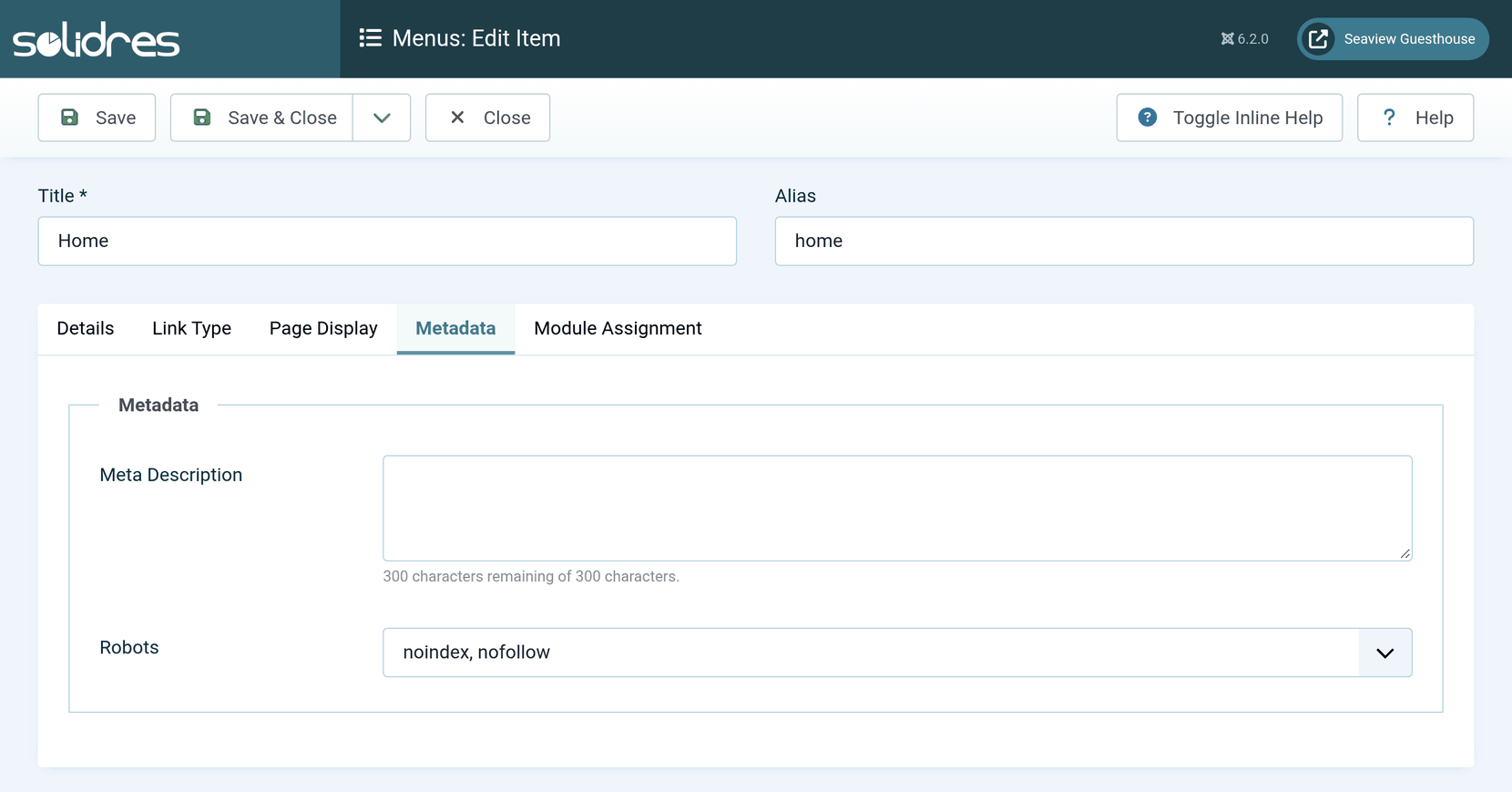
- Open Website → Menus, the menu that holds the page, and click its menu item. Your property page is the item Home of the Main Menu.
- On the Metadata tab, set Robots to noindex, follow: search engines leave the page out of their results but still follow its links to your other pages. noindex, nofollow asks them to do neither.
- Click Save & Close.
For your property page, Search engines may on the property's Publishing tab does the same, with the same choices, and comes before the menu item's. To let a page be listed again, set it back to Use Global. A search engine takes days or weeks to read the change. The pages that hold a guest's details are never listed, whatever you choose: the step of the booking where they give them, the page after the booking, My bookings, My profile and Find my booking. If this site only takes the bookings of a website you already have elsewhere, see Booking site and Booking form: a booking site asks search engines not to list it.
What Solidres does for you
- Clean addresses. Page addresses read as words, such as
/about-us. On a site we run for you, this is on from the start; on Solidres Self-hosted, it is a step of the Getting started card: see Your first hour. - One address per page. A property page and a room type page tell search engines their one address, so a page reached with dates or a search in its address is not listed twice.
- Structured data. The property page describes your property to search engines in a form they read without guessing: its name, address and place on the map, phone, star rating, check-in and check-out times, facilities, room types with their photos, starting prices, the link to book, and with the Feedback add-on your guests' review score. Search engines may show the stars, the score or a price beside your result. Google's Rich Results Test, given your property page's address, shows what it reads. See Structured data.
- Shared links. A link to your property page posted on a social network shows its name with its stars, its first photo and the start of its description.
- AI assistants. Your site answers
/llms.txt: a short page for AI assistants that names your site, gives your meta description and lists your property with a link to its page. With the Public booking API on, on the Integrations tab of Solidres' Options, it also tells them how to book through the API; read Public booking API first, as the API lets other software book on your site.
There is no sitemap to send: search engines find your pages by following the links of your menu from the home page. A site in several languages gives each language its own meta description: see How to build multilingual sites.
For site builders
The Website tab's Site name and Meta description are Global Configuration's Site Name and Site Meta Description, written to configuration.php, so an owner without Global Configuration can change them. Solidres' pages take their robots from the page itself (the property's Search engines may), then the active menu item, then Global Configuration's Robots, as Joomla's own pages do since Solidres 4.8.0; before, Global Configuration's value never reached them. The property's structured data (schema.org Hotel, or VacationRental for the Apartment layout) is printed on every property page and has no setting; room type pages carry HotelRoom data under the Lumina template. Joomla's default robots.txt disallows /api/, where llms.txt sends assistants for the booking API; a site built from Solidres Self-hosted 4.8.0 allows /api/index.php/v1/solidres/public/ in it. Alternate-language links come from the translation extension, not from Solidres.